
Hyundai i30 (PD): Engine Start/Stop button / Engine Stop/Start button positions
- Vehicle with manual transmission
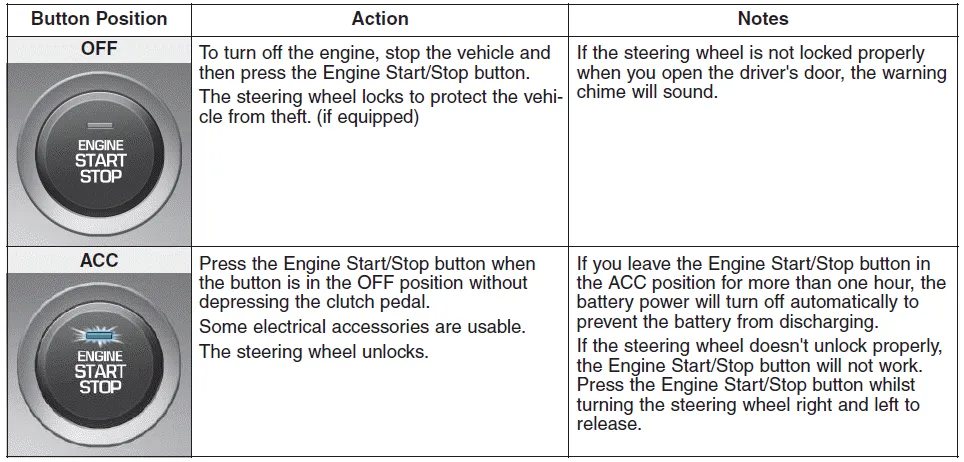
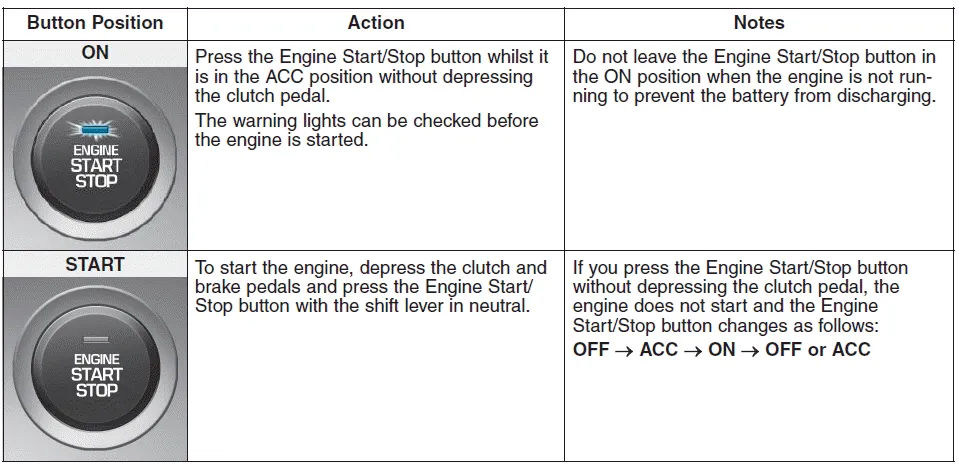
- Vehicle with automatic transmission / dual clutch transmission
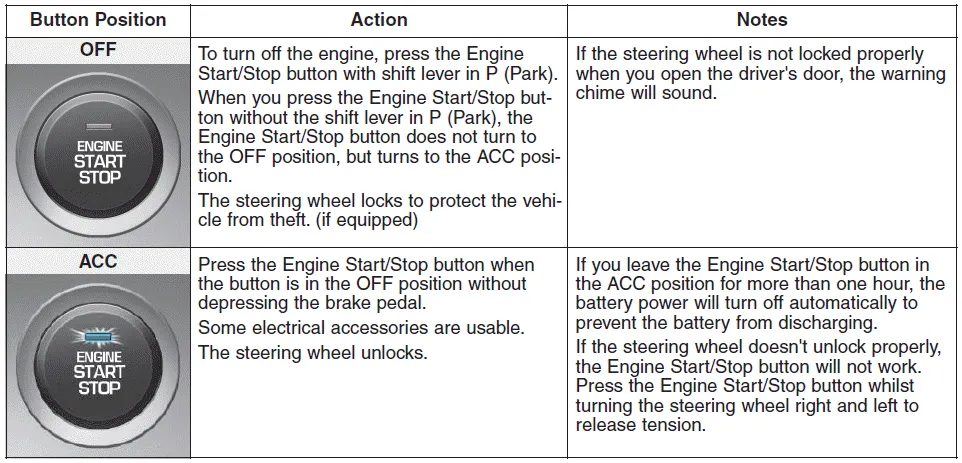
- Vehicle with automatic transmission / dual clutch transmission
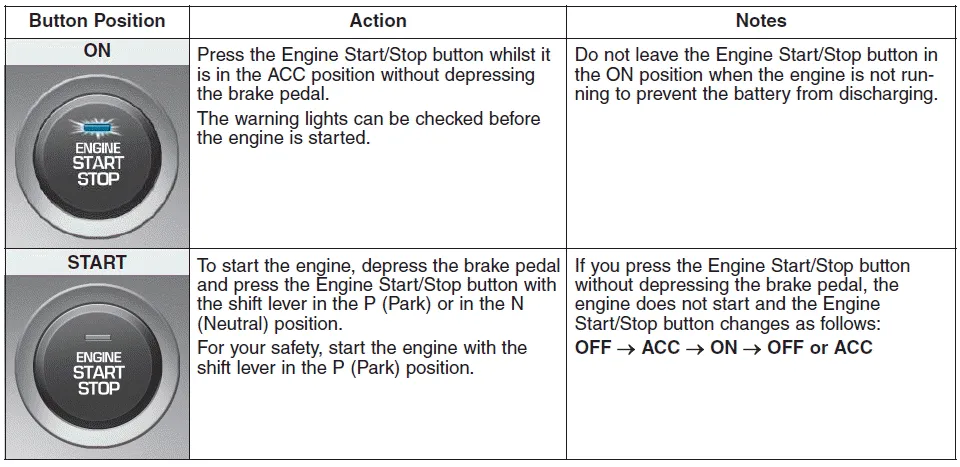
Whenever the front door is opened, the Engine Start/Stop button will illuminate and will go off 30 seconds after the door is closed. WARNING To turn the engine off in an emergency: Press and hold the Engine Start/ Stop button for more than two seconds OR Rapidly press and release the Engine Start/Stop button three times (within three seconds).
WARNING Always wear appropriate shoes when operating your vehicle. Unsuitable shoes, such as high heels, ski boots, sandals, flip-flops, etc.
Other information:
Hyundai i30 (PD) 2018-2024 Owner's Manual: Changing a tyre with TPMS
If you have a flat tyre, the low Tyre Pressure and Position telltales will come on. We recommend that the system be checked by a HYUNDAI authorised repairer. CAUTION It is recommended that you do not use a puncture-repairing agent not approved by HYUNDAI dealer to repair and/or inflate a low pressure tyre.
Hyundai i30 (PD) 2018-2024 Owner's Manual: Emission control system
The emission control system of your vehicle is covered by a written limited warranty. Please see the warranty information contained in the Warranty Booklet in your vehicle. Your vehicle is equipped with an emission control system to meet all applicable emission regulations.
Categories
- Manuals Home
- Hyundai i30 Owners Manual
- Light bulbs
- Engine coolant
- Your vehicle at a glance
- New on site
- Most important about car
